
This release builds upon the recently added OCI support from Incus 6.3, making it even easier to run application containers. It also adds a number of useful new features for clustered and larger environments with more control on the virtual CPU used when live migrating VMs and finer grained resource constraints within projects.
The highlights for this release are:
- Cluster group configuration
- Per-cluster group CPU baseline
- Attaching sub-directories of custom storage volumes
- Per storage pool project limits
- Isolated OVN networks (no uplink)
- Per-instance LXCFS
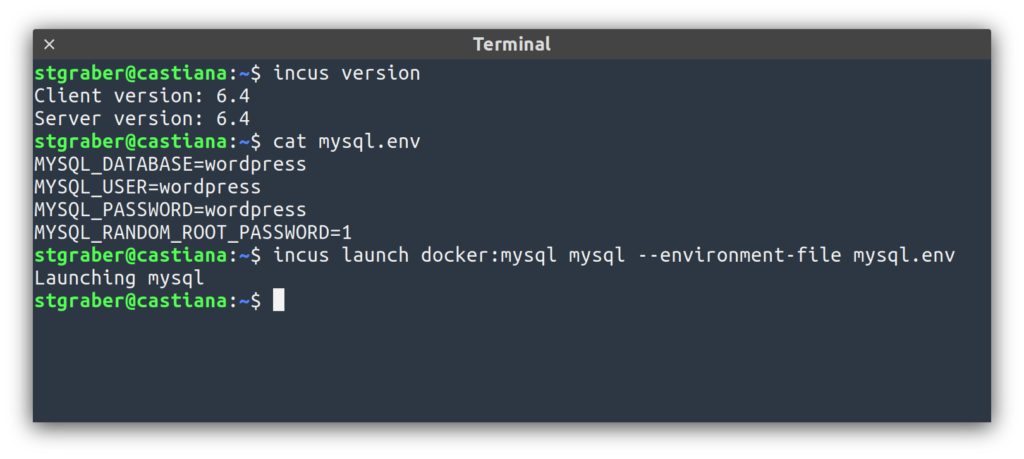
- Environment files at create/launch time
The full announcement and changelog can be found here.
And for those who prefer videos, here’s the release overview video:
You can take the latest release of Incus up for a spin through our online demo service at: https://linuxcontainers.org/incus/try-it/
And as always, my company is offering commercial support on Incus, ranging from by-the-hour support contracts to one-off services on things like initial migration from LXD, review of your deployment to squeeze the most out of Incus or even feature sponsorship. You’ll find all details of that here: https://zabbly.com/incus
Donations towards my work on this and other open source projects is also always appreciated, you can find me on Github Sponsors, Patreon and Ko-fi.
Enjoy!

 Github
 Twitter
 LinkedIn
 Mastodon
 RSS feed
This is a great step toward first-class support for app containers, thank you for your amazing work! Yet it would be really nice if they’re not simply converted to lxc containers, but running as podman rootless quadlets for example. A real OCI support is not just to be able to download the image from Docker registry, but to run it the way the app containers are supposed to run. Podman rootless is the most secure way to do it IMHO.